Agent-native interactive demos, open source
Your agent records, writes and ships interactive demos of your real product, and keeps them current. They live as plain files in your repo.
npx @inkly-org/interactive-demo-cli init my-demos
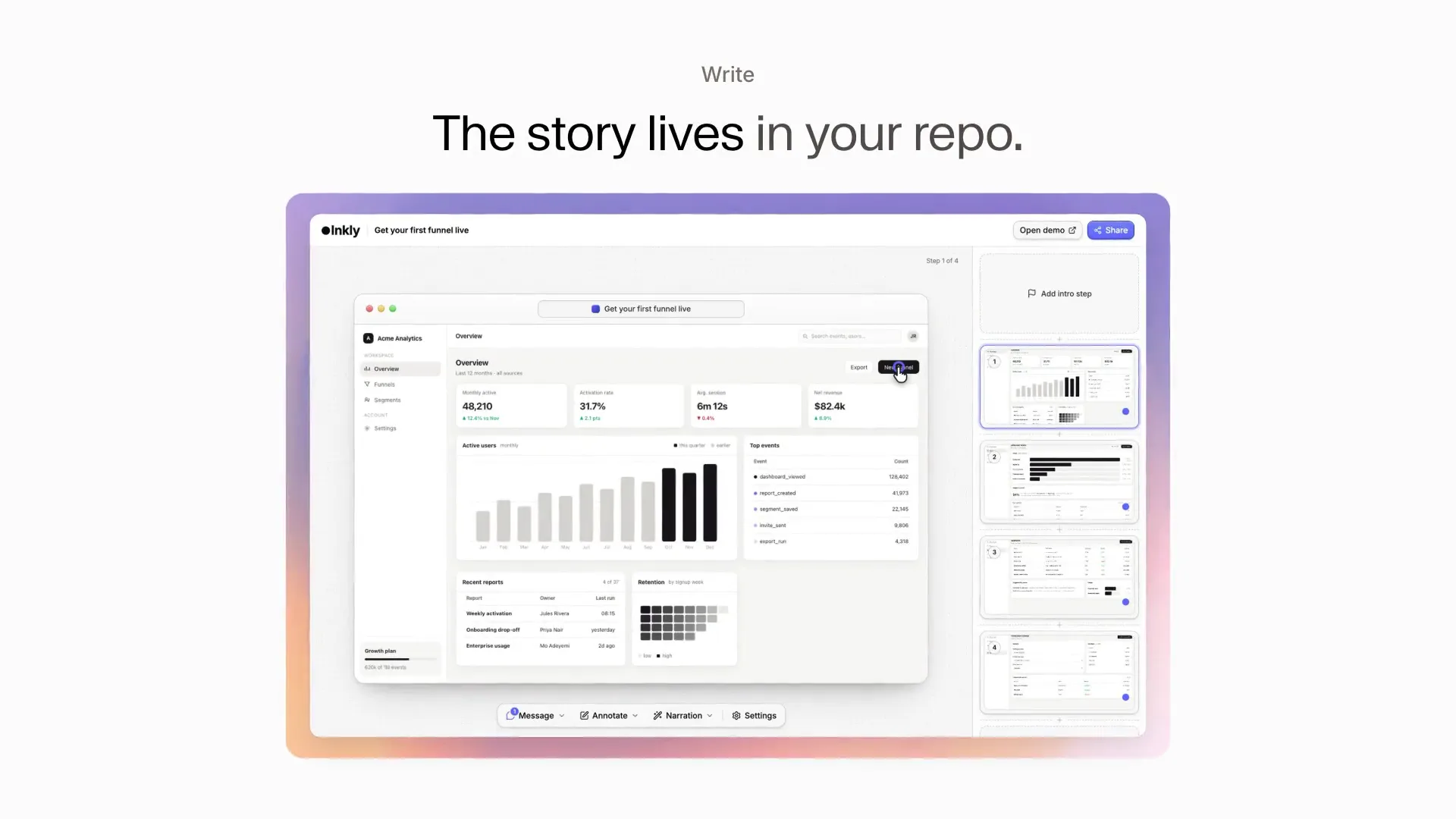
Ask your agent for a demo
The repo ships an agent skill that teaches Claude Code, Codex or another agent the whole loop: scaffold, capture, write the copy, validate, publish. Add it to your project (this is the Claude Code location), then tell your agent what to record. You review what comes back.
mkdir -p .claude/skills/interactive-demo && curl -fsSL https://raw.githubusercontent.com/inkly-ai/interactive-demo/main/skills/interactive-demo/SKILL.md -o .claude/skills/interactive-demo/SKILL.mdMake an interactive demo of our onboarding flow at <your app's URL>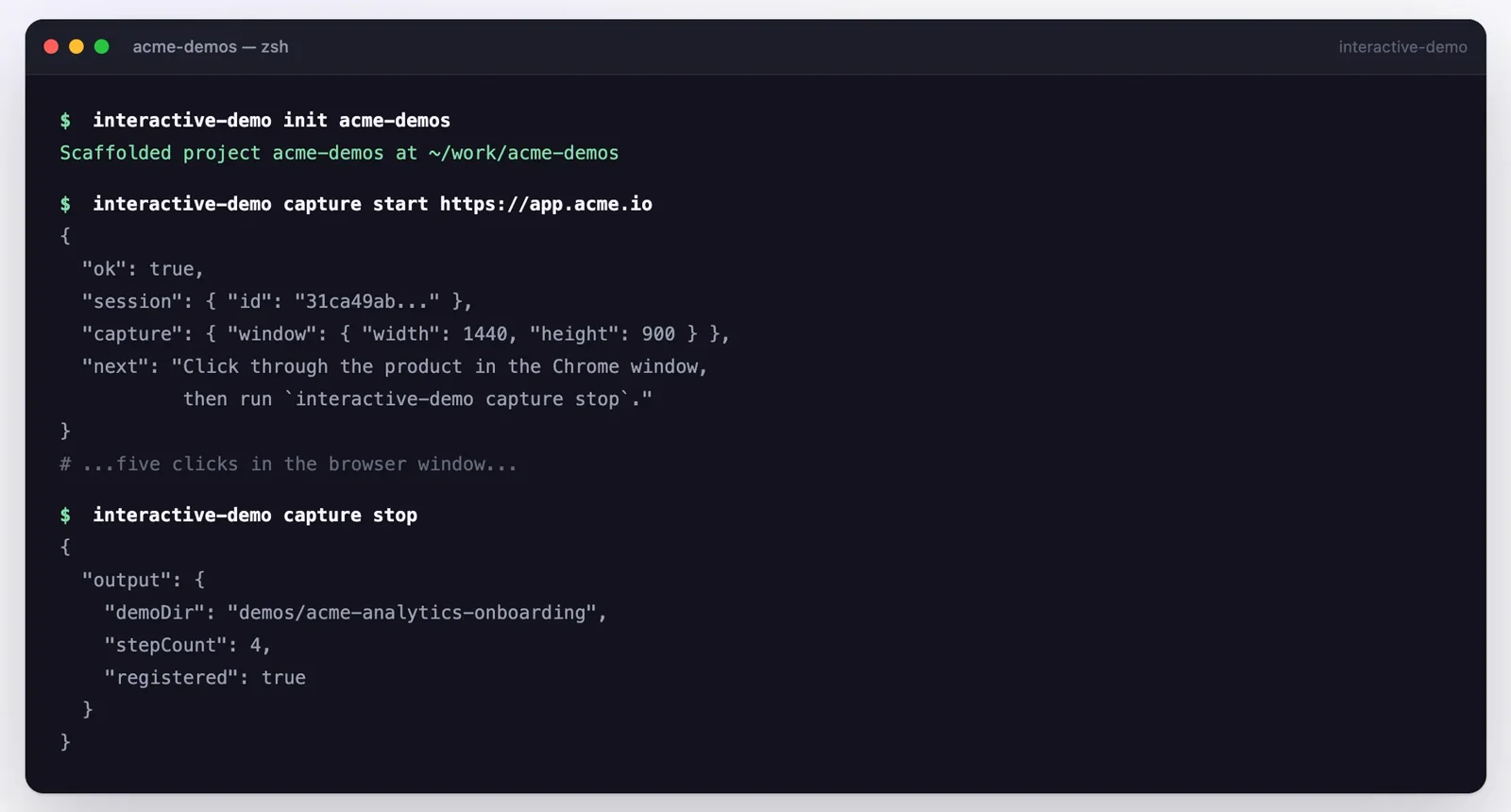
Capture
npx interactive-demo capture start https://app.example.com --name "Onboarding"Your agent drives Chrome from the terminal, or you click through yourself: every click becomes a step, with the pointer where you clicked. Prefer your own browser? Record with the Chrome extension and import the zip.
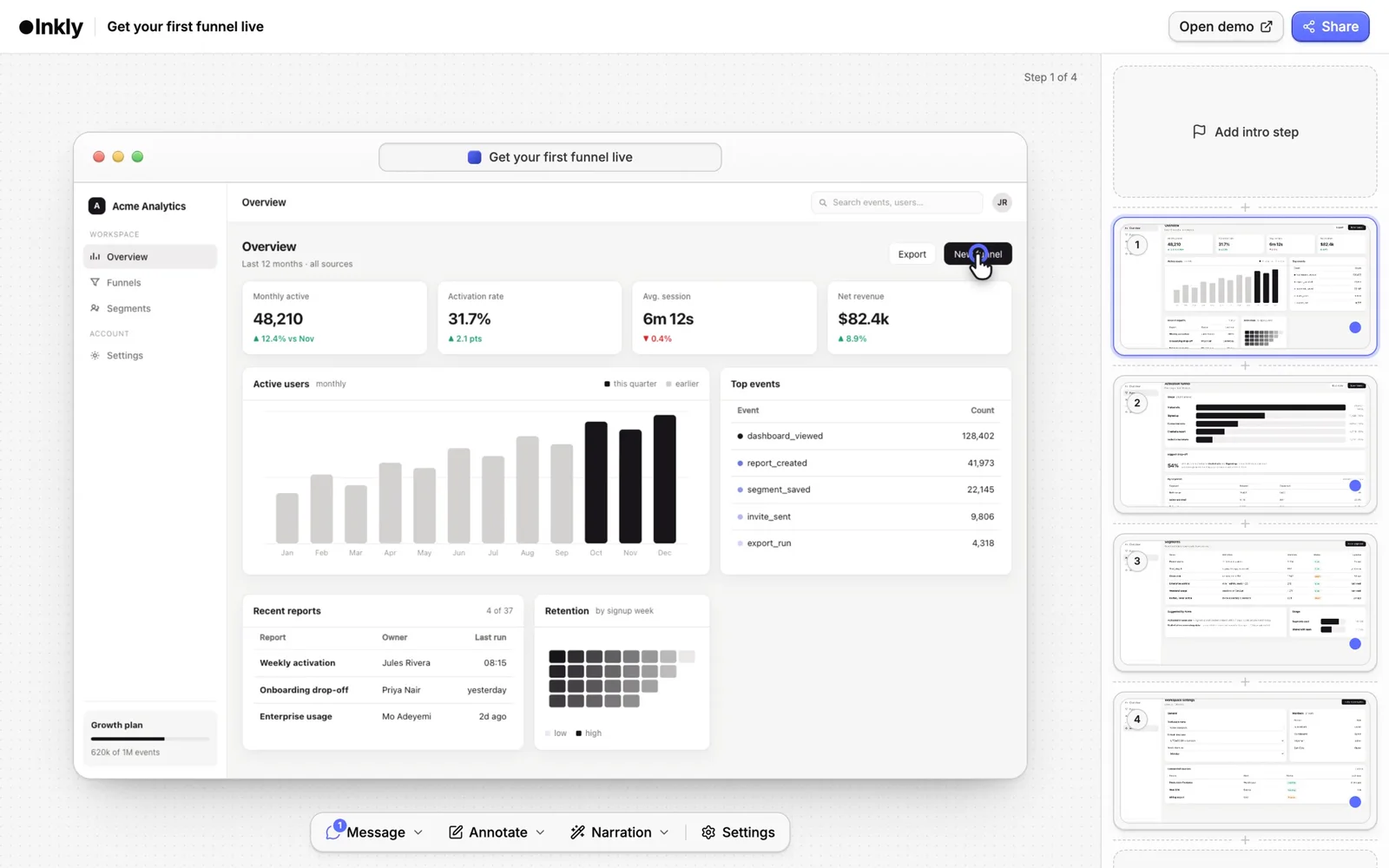
Polish
npm run devA demo is a demo.config.json and an assets folder. Your agent writes the copy and fixes it like any other file, and the diff is reviewable. Prefer a UI? The local editor writes straight back to the same files.
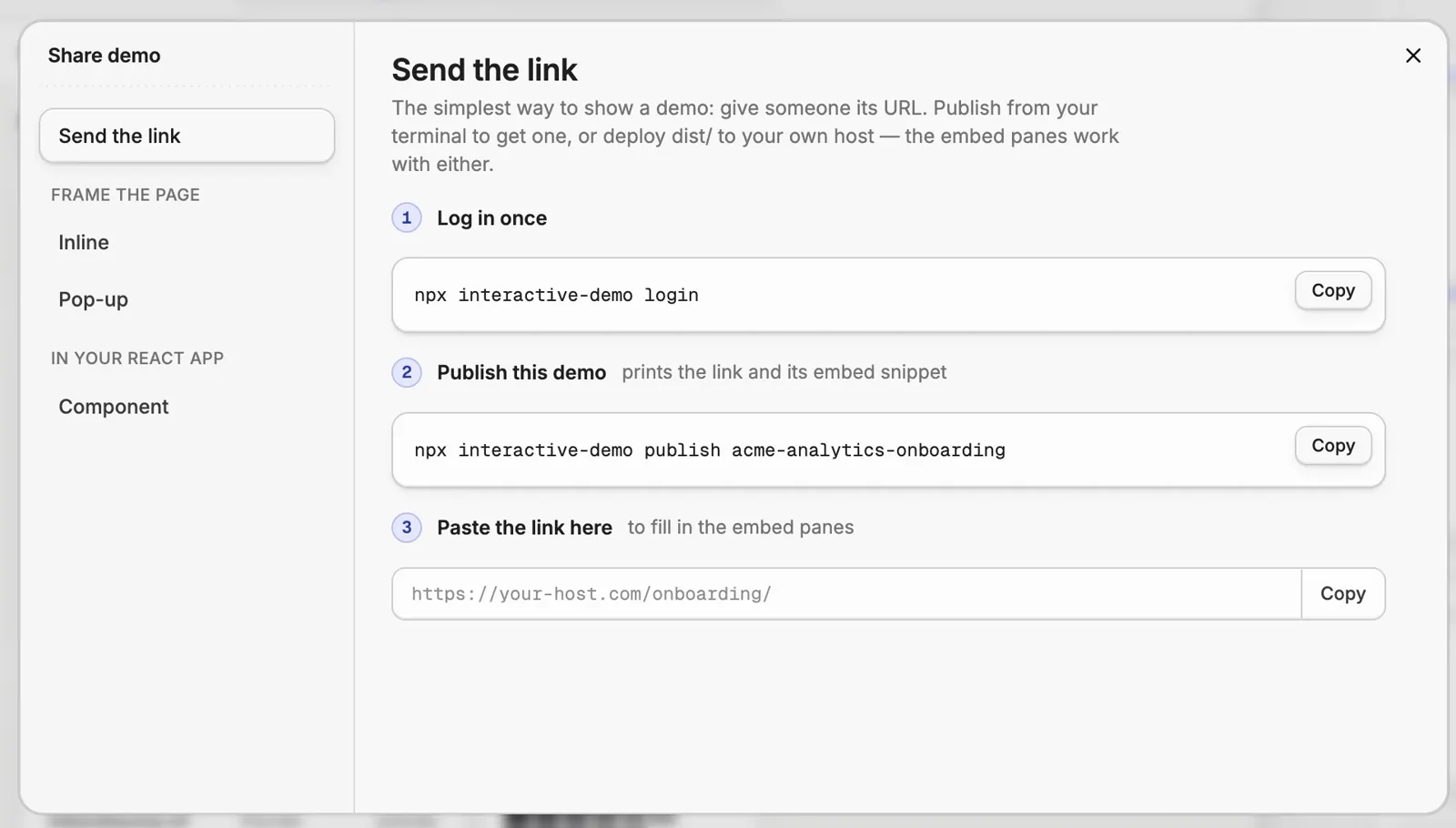
Ship
npx interactive-demo publishOne command puts the demo online and prints its URL. Publish again and it updates the same link, so every embed keeps working.
One set of demos, everywhere the product is shown
When the product changes, your agent re-captures the screens and fixes the copy.
Product marketing
A clickable product on the homepage, the launch post and every feature page.
Pre-sales
Send a prospect the part of the product they asked about, before the call.
Onboarding
Walk new users through their first win, step by step.
Training
Turn a how-to into something people click through instead of read.
Enablement
Keep the field's demos matching the product as it ships.
One command to a link, or host it yourself
Two ways to put a demo online. The embed snippets are identical either way — only the origin differs.
Nothing to deploy, nothing to configure
npx interactive-demo login && npx interactive-demo publishUploads the demo’s media and prints its URL and an iframe snippet. Publishing again replaces the same deployment, so every embed picks up the new version. Free to start; see pricing.
A folder that runs on any static host
npx interactive-demo buildWrites dist/<slug>/ — index.html, player.js, player.css and your assets. Deploy it anywhere static files are served. Nothing in it phones home.
Put it in front of someone
Send the link, frame the page, or render it inside your own React app.
Send the link
The simplest way to show a demo: give someone its URL. It opens as its own page, and the viewer clicks through the product themselves.
npx interactive-demo publish
→ prints the link and an iframe snippetFrame it in the page
Drop the demo into a landing page, a docs article or a launch post with a plain iframe.
<iframe src="https://your-site.com/demos/onboarding/"
        width="960" height="600" loading="lazy"
        allow="fullscreen" style="border:0; max-width:100%"></iframe>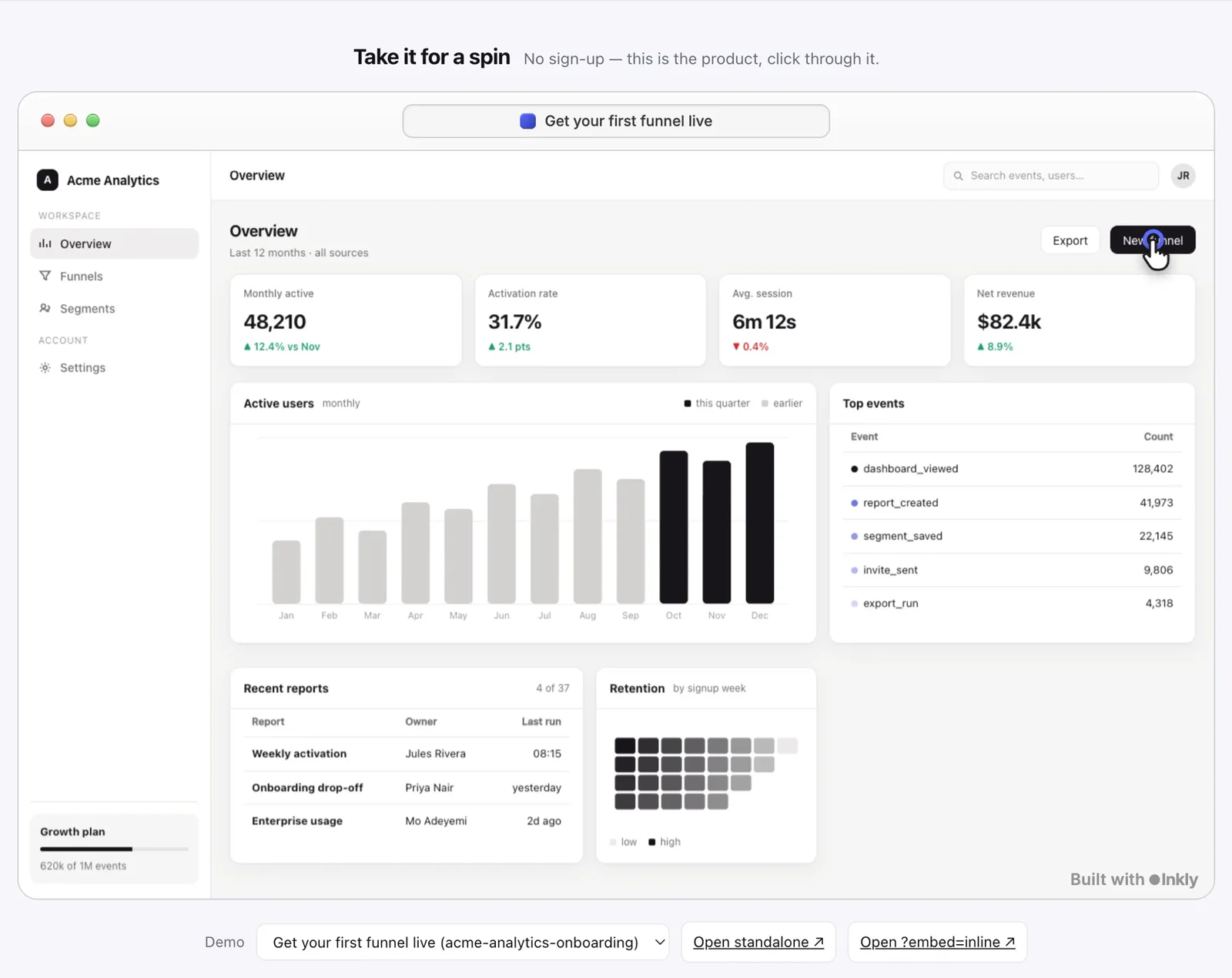
Open it from any button
Add embed.js once, then open the demo over your page from any button or link.
<script src="https://your-site.com/demos/embed.js" async></script>
<button onclick="InteractiveDemo.open('https://your-site.com/demos/onboarding/')">
  Try the demo
</button>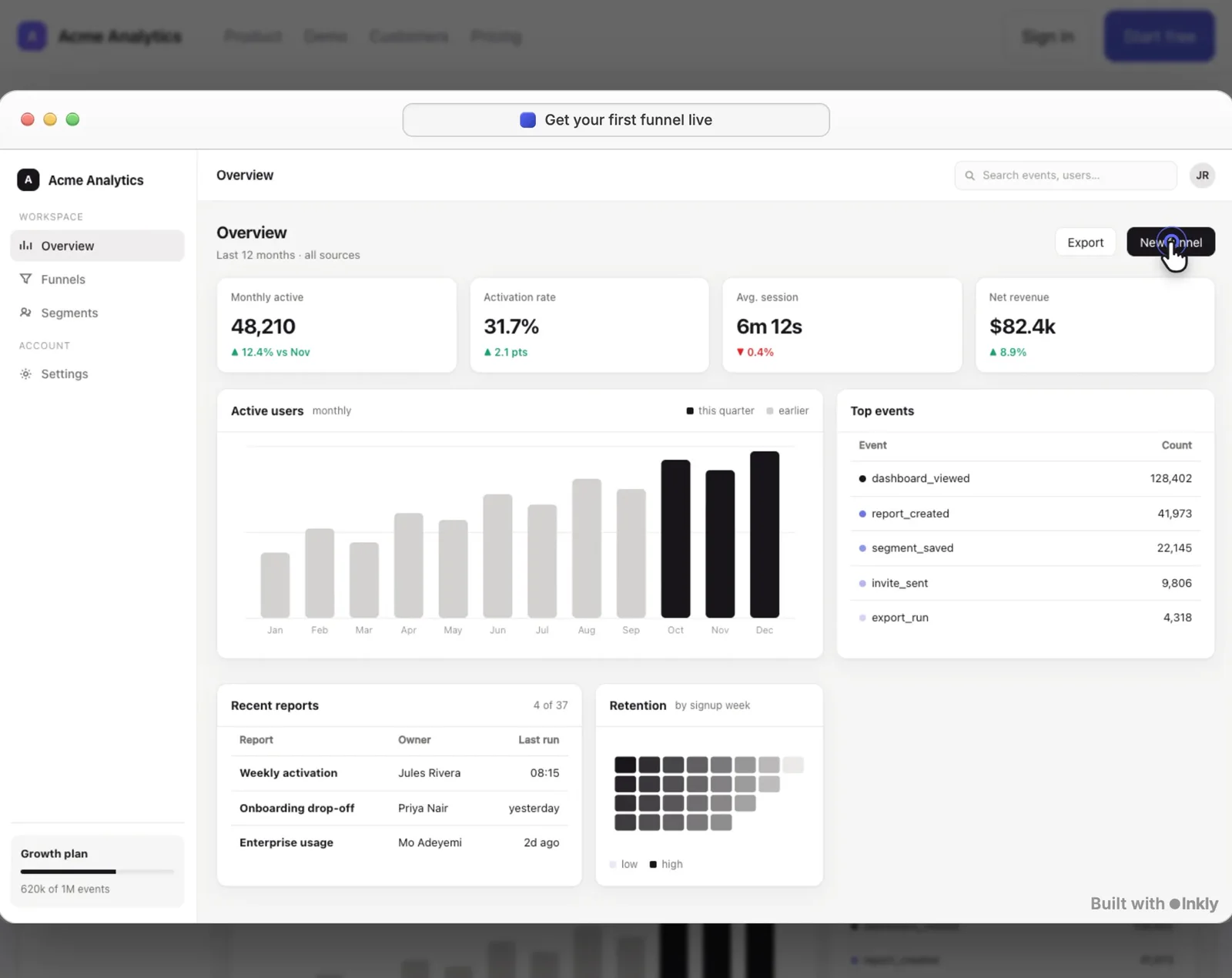
Render it in your React app
Skip the built page entirely: the component fetches demo.config.json from the folder and loads the media next to it.
import { Demo } from '@inkly-org/interactive-demo';
import '@inkly-org/interactive-demo/styles.css';

<Demo src="/demos/onboarding/" />
Start with one command
npx @inkly-org/interactive-demo-cli init my-demosAlso on npm. Pull requests welcome.
Want an agent that runs the demo live?Inkly’s demo agent talks to each visitor, shows them the product and hands warm buyers to sales.Meet the Inkly demo agent →